ARC Raiders is now available on PlayStation 5, Xbox Series X|S, and PC, and it supports crossplay. This lets you play with friends on any platform – PlayStation, Xbox, or PC – and also compete against players on different systems.
This guide explains how to connect with friends from other gaming platforms in ARC Raiders, play together, and disable crossplay if you prefer.
See more: Xbox Arc Raiders players are stuck with “outdated game client” errors
ARC Raiders crossplay: How to add friends
To add friends from other gaming platforms to ARC Raiders, you’ll need their Embark username. This username is created when you first set up your Embark account, whether you’re starting ARC Raiders or have played The Finals before. You can find your own and your friends’ usernames in the game’s menu under the ‘Social’ tab.
Your Embark username will be the name you choose combined with a four-digit number, like Name#1234. This is different from your usernames on other platforms, like your Xbox, PlayStation, or Steam account.
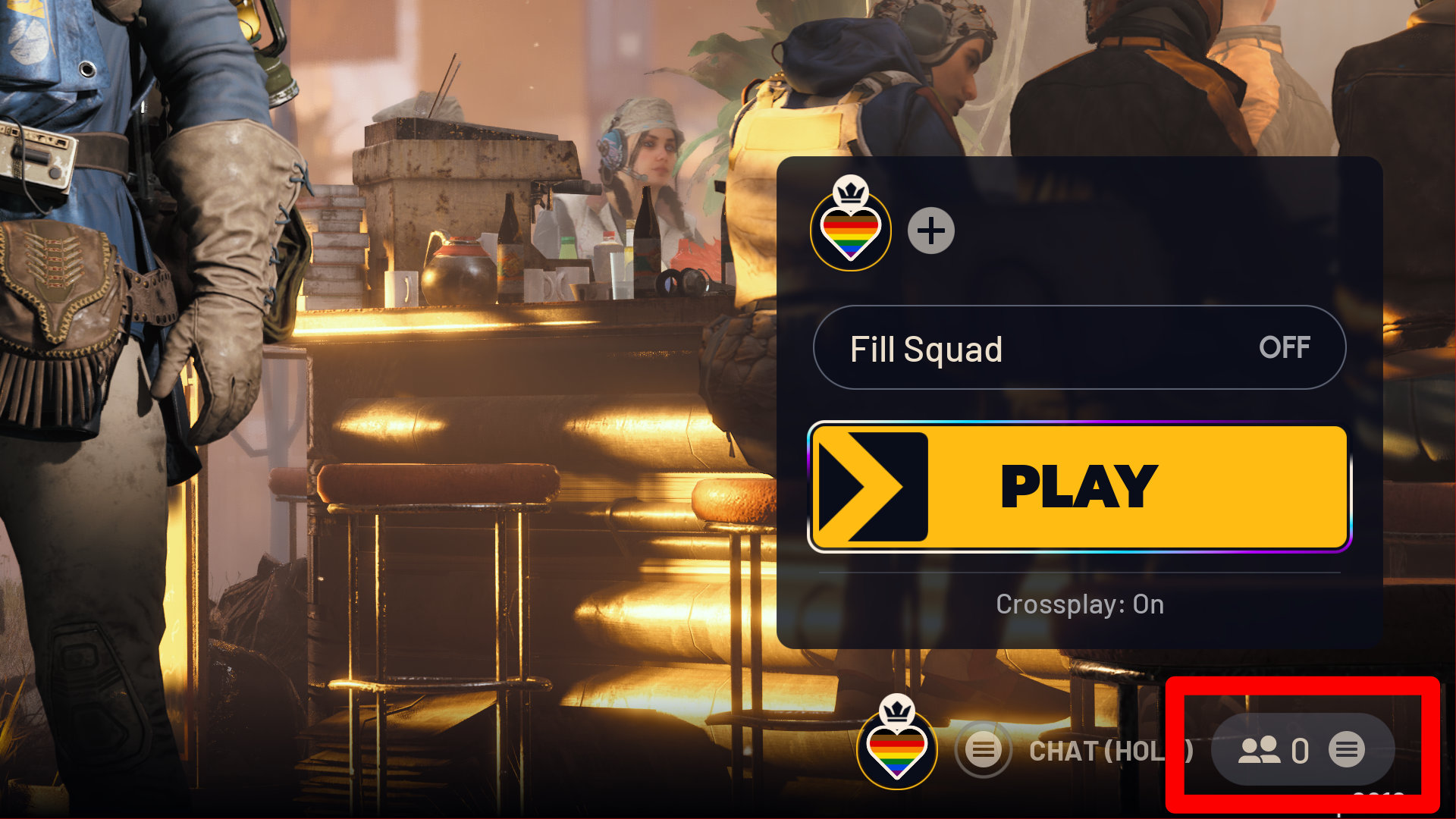
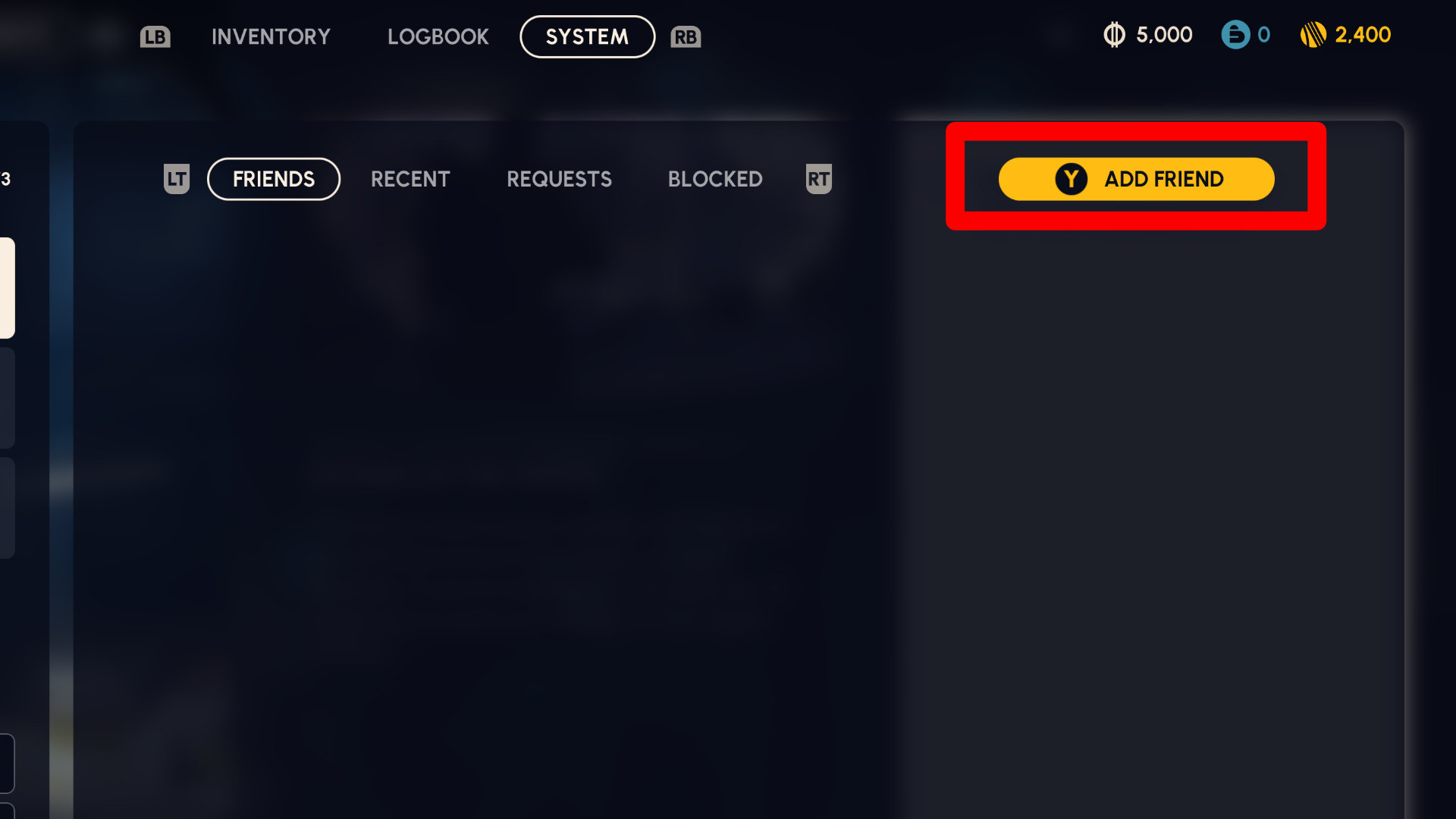
After you get your friend’s Embark username, go to the social panel. You can find this by pressing the options or start button on the main screen, then select ‘Add Friend’.
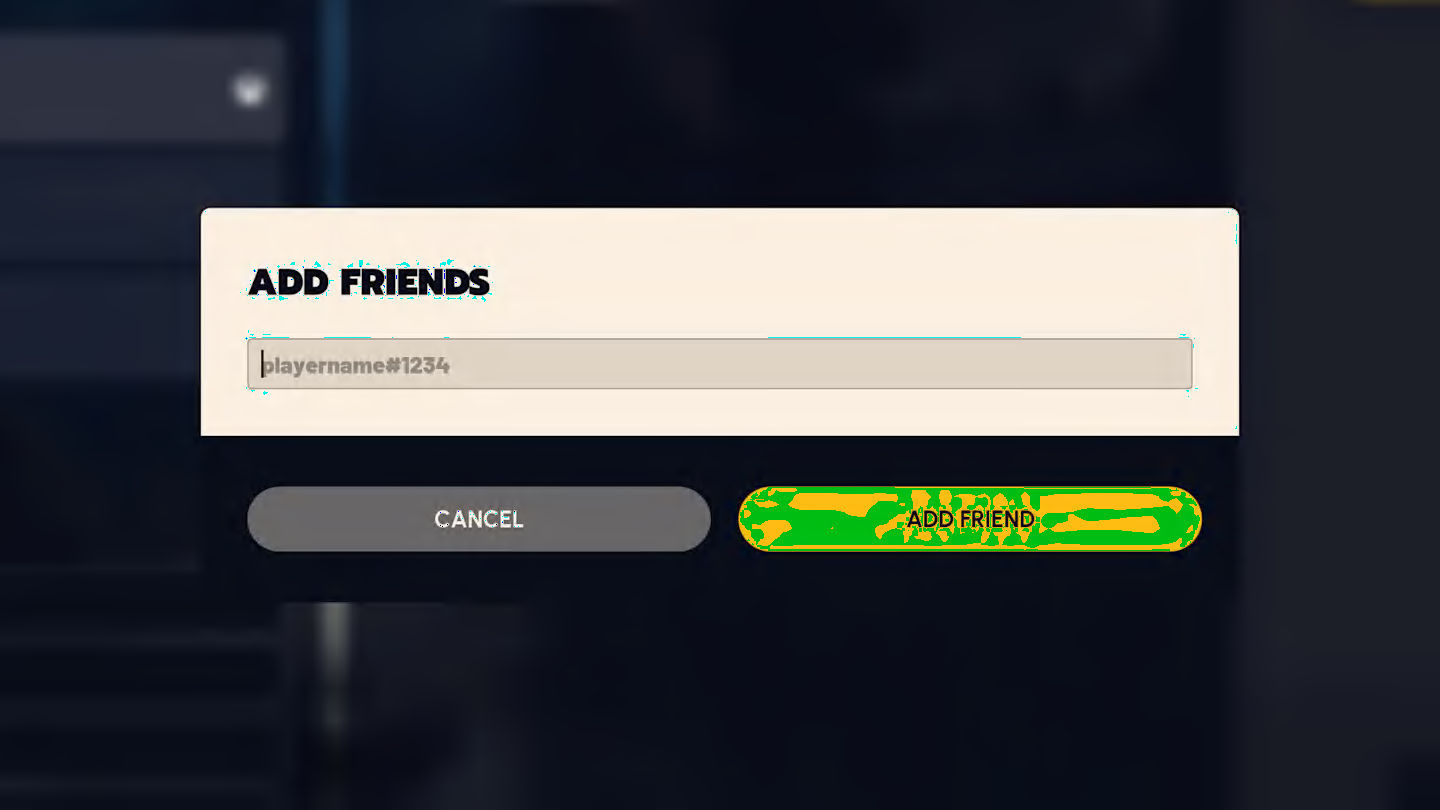
To invite a friend, enter their Embark username and the four-digit number after it (like username#1234). Then, confirm you want to send the invite. Your friend will see the invite in the menu, and if they’re already playing, they’ll get a pop-up notification to accept it right away.
ARC Raiders crossplay: How to play with friends on other platforms
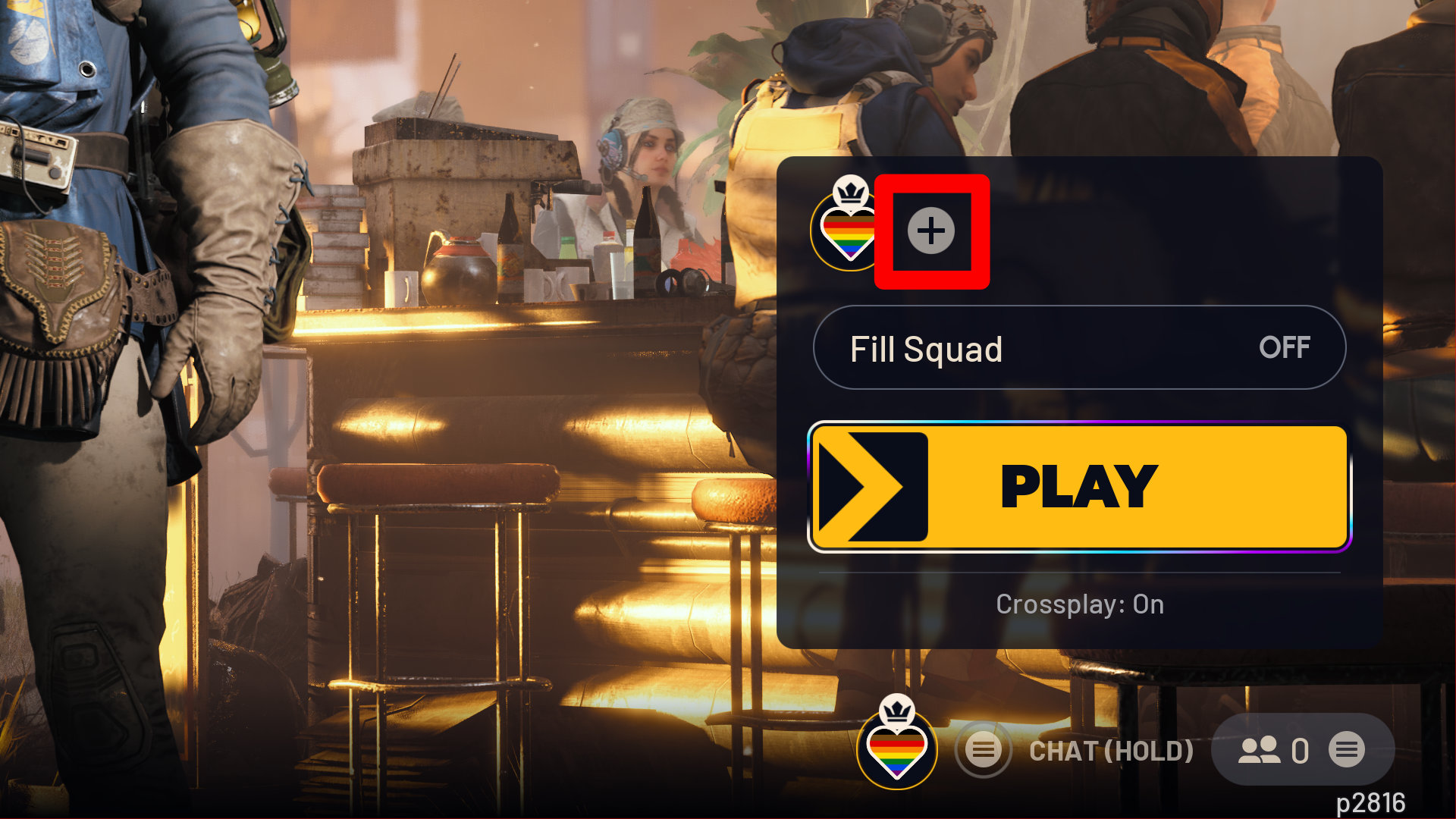
After you add a friend, inviting them to your game is easy. Just tap the plus button near your profile picture above the Play button, choose your friend from the list, and send the invite. Once they accept, hit the Play button to begin playing together!
ARC Raiders: How to turn off crossplay
Sometimes I like to disable crossplay, and it’s actually really easy to do. The best part is, I can switch it on or off whenever I want.
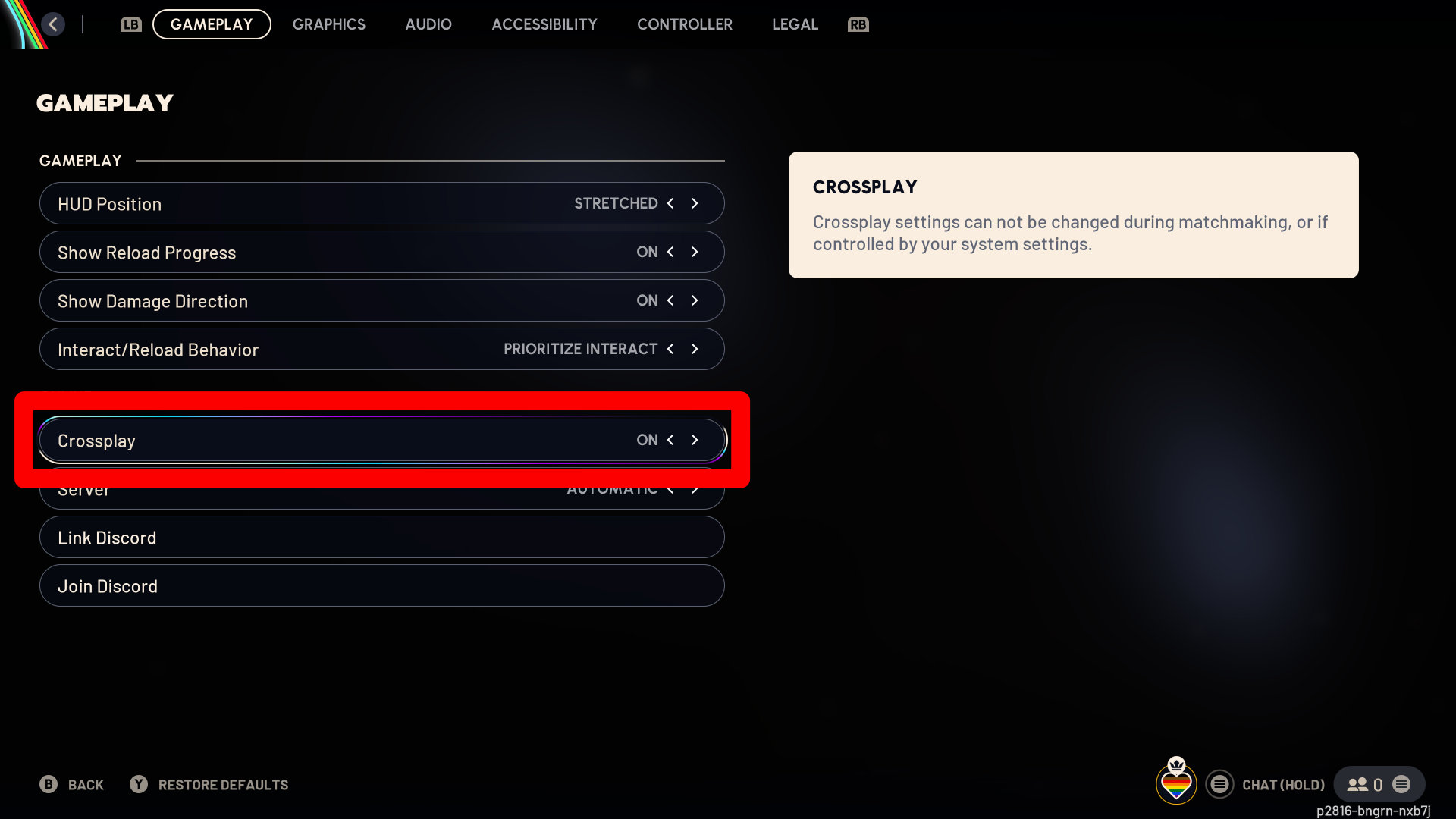
To enable or disable crossplay, first open the game menu and select “Settings”. Then, go to the “Gameplay” tab and find the Crossplay option. You can toggle it on or off from there. Keep in mind that you can only change this setting when you’re not actively looking for a match or playing a game.
Read More
- 20 Movies Where the Black Villain Was Secretly the Most Popular Character
- Transformers Under the Microscope: What Graph Neural Networks Reveal
- Celebs Who Narrowly Escaped The 9/11 Attacks
- Trading on Thin Air: AI Agents Conquer Crypto Volatility
- Silver Rate Forecast
- Gold Rate Forecast
- Invincible Season 4 Gender Swaps Tech Jacket As Fans Question Major Comic Change
- 22 Films Where the White Protagonist Is Canonically the Sidekick to a Black Lead
- Trading Smarter: AI-Powered Execution Schedules
- Every Notable ‘Star Trek: The Original Series’ Actor Who Died
2025-10-31 17:46