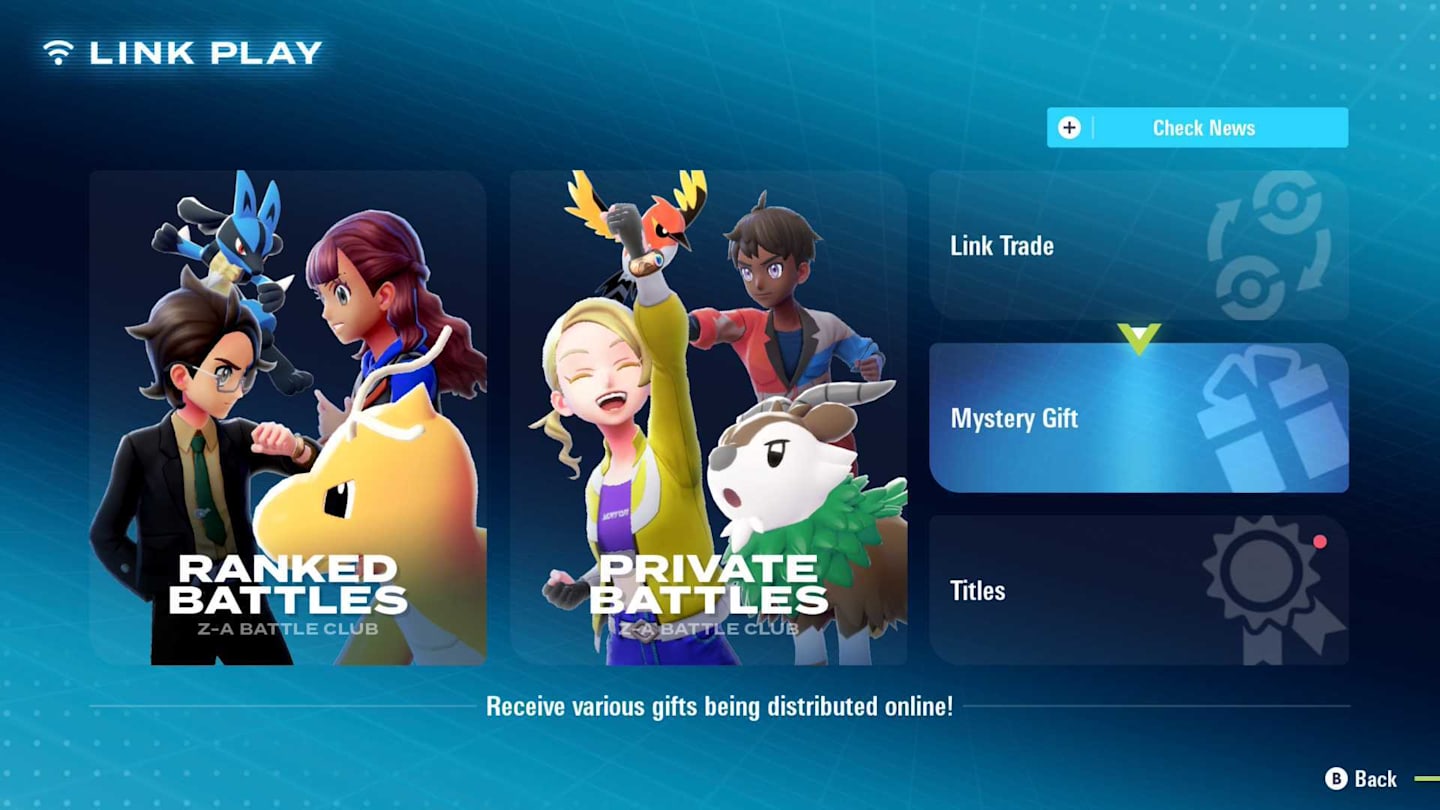
Pokémon Legends: Z-A shares some similarities with other Pokémon games, and one of those is the Mystery Gift feature. You’ll be able to receive special items and Pokémon throughout the game’s lifespan, and there are even some available right when you start. We’ll show you everything that’s currently being offered, including any codes you need and how to redeem them.
How to claim Mystery Gifts in Legends ZA
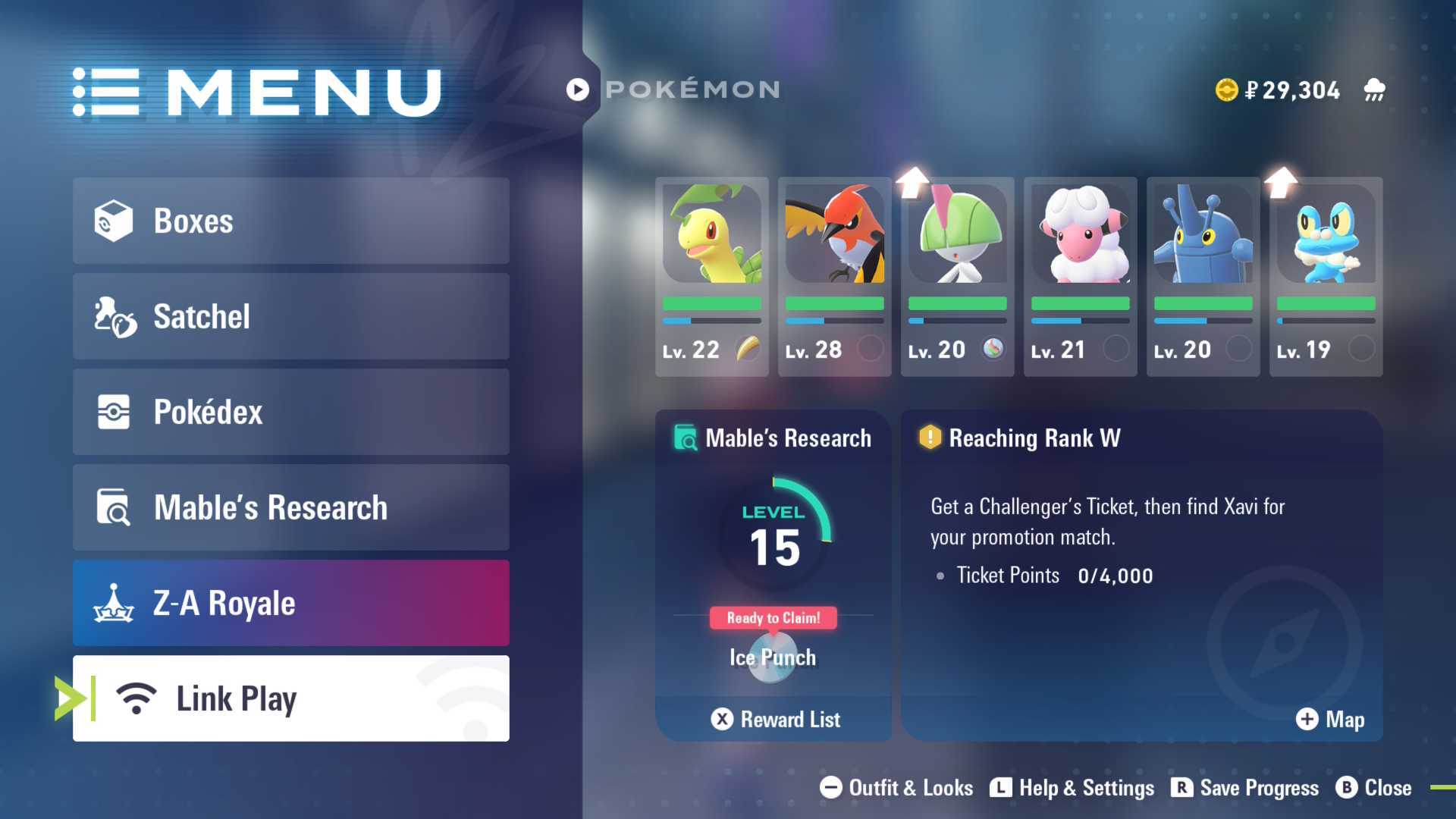
To get a Mystery Gift, open the game’s menu by pressing the X button, then choose “Link Play.” You’ll find the “Mystery Gift” option on the right side of the screen.
In this menu, you’ll see three options:
- Get via internet
- Get with code/password
- Check Mystery Gifts
Even though it might not seem like it, both ways to get gifts need an internet connection. If you choose to get gifts online, the game will automatically look for any available rewards for you. If you have a gift code, select that option and enter the code to receive your gift. The “Check Mystery Gifts” feature simply shows you a list of the gifts you’ve already claimed.
Currently available Mystery Gifts in Legends ZA
This details all the gifts you can receive in Pokémon Legends: Z-A, including how to obtain them and how long their effects last.
- Ralts & Gardevoirite – via internet – ends Feb 28, 2026
- 100 PokéBalls – via code – given with the purchase of the digital edition of the game – ends Feb 28, 2026
Read More
- 20 Movies Where the Black Villain Was Secretly the Most Popular Character
- Top 20 Dinosaur Movies, Ranked
- 25 “Woke” Films That Used Black Trauma to Humanize White Leads
- Gold Rate Forecast
- Spotting the Loops in Autonomous Systems
- Silver Rate Forecast
- 22 Films Where the White Protagonist Is Canonically the Sidekick to a Black Lead
- Top 10 Coolest Things About Invincible (Mark Grayson)
- Can AI Lie with a Picture? Detecting Deception in Multimodal Models
- Celebs Who Narrowly Escaped The 9/11 Attacks
2025-10-16 18:18