Full Burst RPG —BrownDust2.
Google Play Games for PC, the platform for playing BrownDust2 on computers, officially launched on February 26th. With this launch, the way you start the game has been updated.
We no longer support the old, separate PC launcher. To enjoy all features of BrownDust2 without problems, please launch the game through GPG from now on.
To launch the game correctly: first, completely uninstall the current BrownDust2 PC application. Then, open Google Play Games on your computer, find BrownDust2, and reinstall it. You can find the install link here: https://ppl.cm/tmiKhhrX
Important: After installing BrownDust2, please open the GPG launcher and start the game by clicking the ‘Play’ button within the app. If you try to launch the game using the old desktop icon or without going through GPG, in-game purchases won’t work. Always launch BrownDust2 through the GPG app to ensure everything functions correctly.
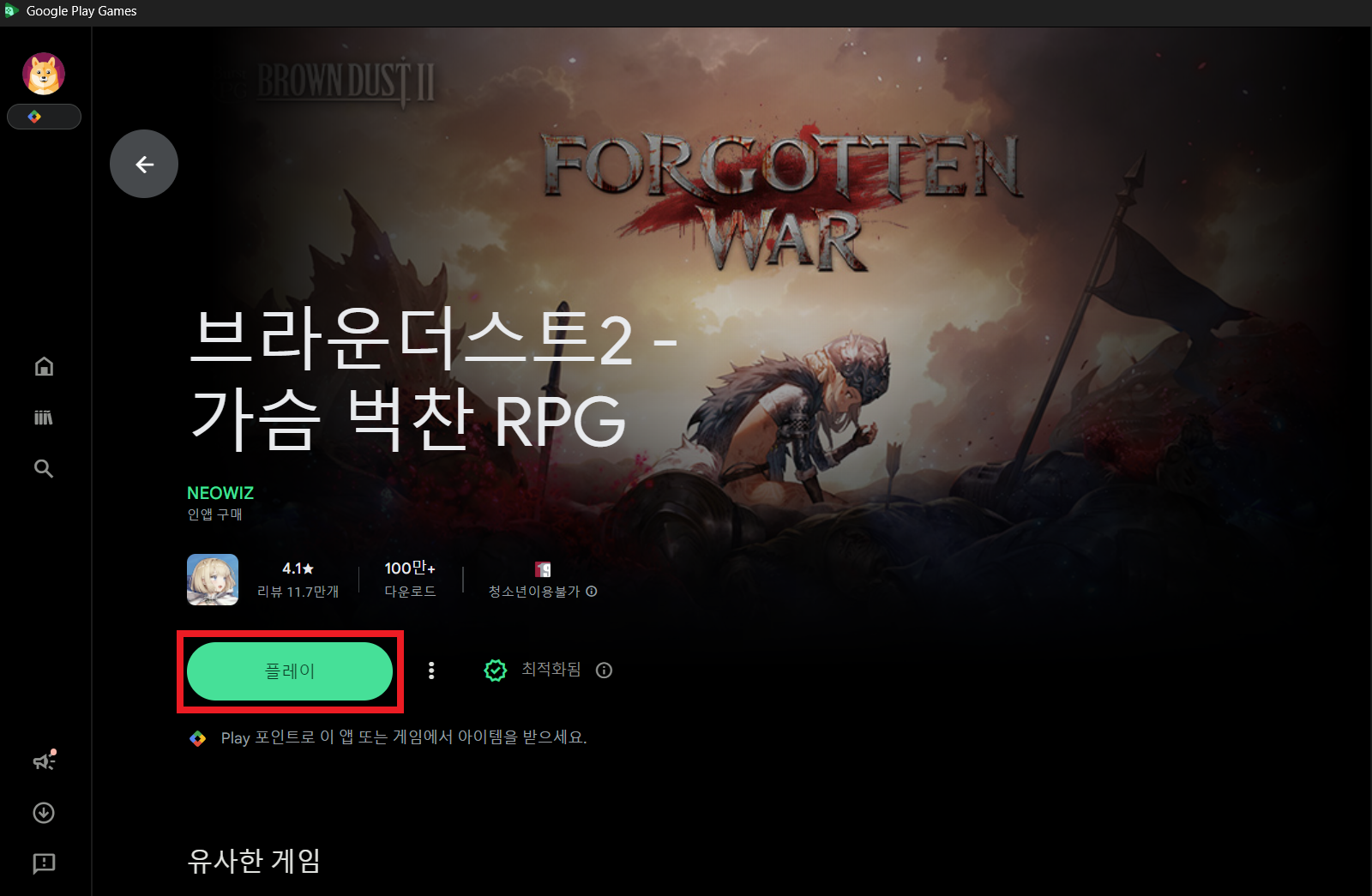
Okay, so I found out if you’re still trying to launch the game using the old desktop app, it might actually start up, but you’ll get a warning message, and stuff you buy in the game probably won’t register correctly. Basically, it’s best to avoid using that old launcher if you can!
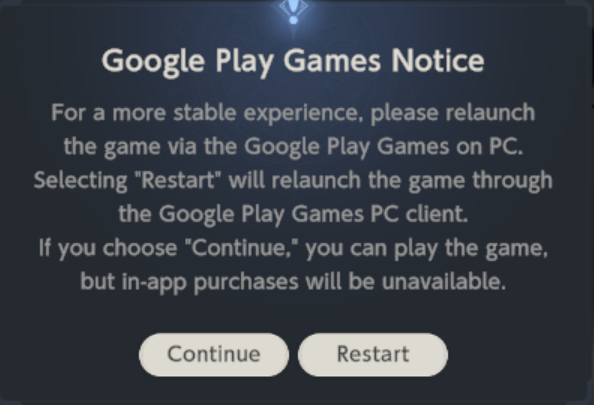
1) Select [Continue]
You can play the game, but all purchase features will be restricted.
Choose [Restart]. This will close the game and reopen it using Google Play Games on your computer. If you don’t have Google Play Games installed, you’ll keep seeing a message asking you to install it, so please do that first.
To fix potential problems with buying things and make sure the game runs correctly, please remove the current game and reinstall it using GPG before launching.
Important information regarding your payments: We’ve fully switched to Google Play Payments (GPG), so your previous payment details are no longer visible in the settings. Now, purchases will be charged to the Google account you’re currently signed into within the GPG app. To use a different payment method, simply switch to the desired Google account in GPG before completing your purchase. This update is necessary to comply with Google’s new policies on PC, and we apologize for any inconvenience it may cause.
We’re working on ways to make the transition as smooth as possible and reduce any inconvenience. We’ll let you know when these improvements are available. Our goal is to continue providing a reliable and user-friendly experience within the updated GPG environment.
Thank you.
Read More
- Gold Rate Forecast
- Invincible Season 4 Gender Swaps Tech Jacket As Fans Question Major Comic Change
- 22 Films Where the White Protagonist Is Canonically the Sidekick to a Black Lead
- 14 Movies Where the Black Character Refuses to Save the White Protagonist
- Silver Rate Forecast
- Unveiling the Schwab U.S. Dividend Equity ETF: A Portent of Financial Growth
- Superman Flops Financially: $350M Budget, Still No Profit (Scoop Confirmed)
- The Best Former NFL Players Turned Actors, Ranked
- ONE PIECE Season 2 Confirms Sanji’s OTHER Backstory in the Live-Action
- Why Won’t It Just *Do* What You Ask? Unpacking the Quirks of AI Language
2026-02-26 13:37