Full Burst RPG —BrownDust2.
We’re getting reports from players using iPhones and iPads who are either unable to open the game or are experiencing crashes while playing.
First of all, we sincerely apologize for the inconvenience this has caused.
We’re carefully looking into how much memory the game uses on all platforms, and we’re also exploring ways to lower memory usage, especially for players on iPhones and iPads.
Here’s an update on what we’ve found, some quick fixes you can try in the meantime, and how you can assist us by sending in detailed reports.
1. Current Findings
We’ve found that when the app handles a lot of data, it’s using too much memory on iPhones and iPads, which sometimes causes it to unexpectedly shut down.
The development team is now focused on improving the application’s performance and reliability, making memory optimization and stability their main goals.
2. Recommended Workarounds to Reduce Crashes & Lag
To help BrownDust2 run more smoothly on your iPhone or iPad, here are a few things you can try to free up memory (RAM) before or during gameplay.
To help prevent crashes and ensure smooth gameplay in BrownDust2, close any other apps that are running in the background. This frees up memory and resources for the game.
On Android
To see the apps currently open on your device, tap the Recent Apps button – it’s usually found on the bottom of the screen. You can then close all apps at once using the “Close all” option, or swipe individual apps away to free up memory.
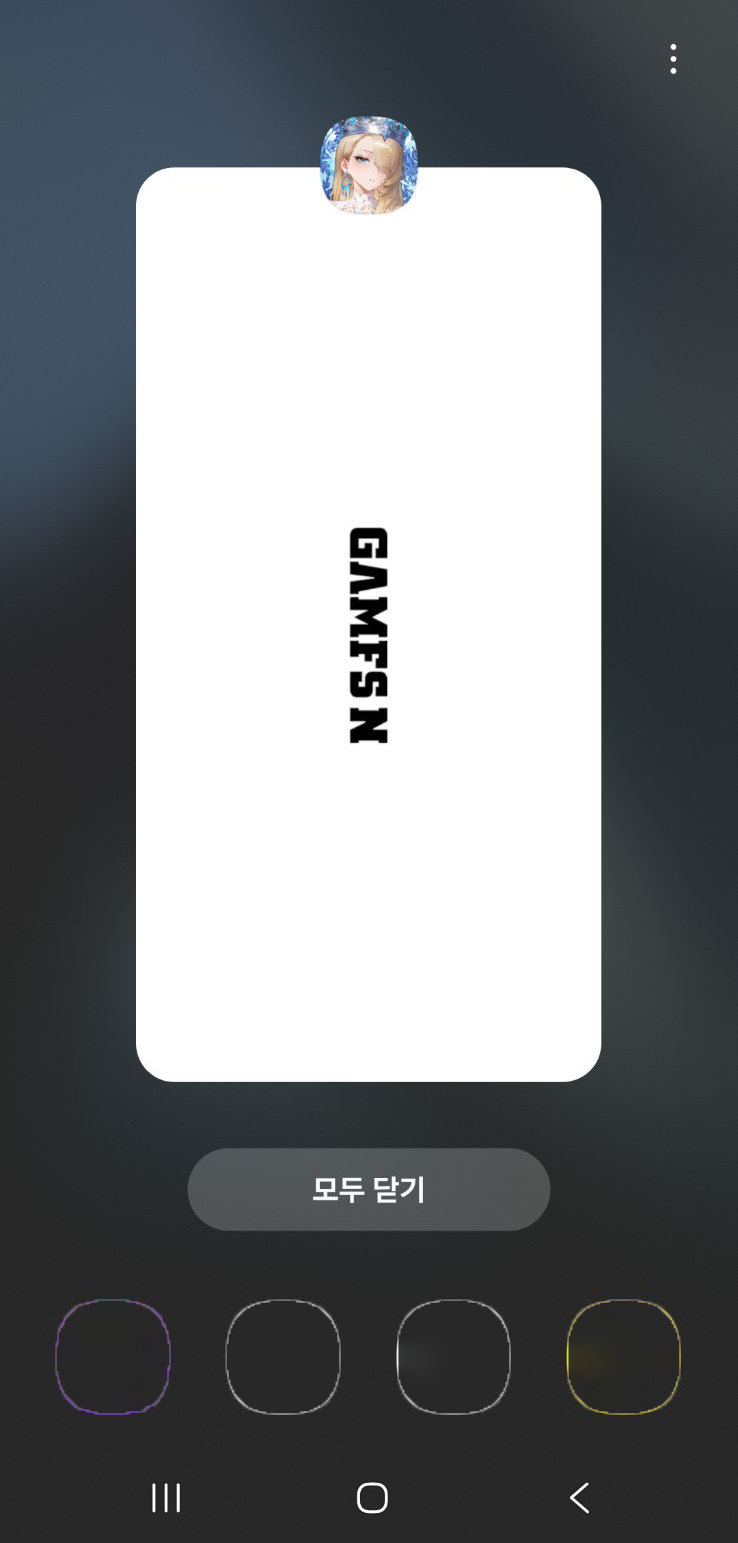
On some devices, you can also go to [Settings] → [Device Care] (or similar) and tap “Optimize now” to close background apps and free up memory.
Note: The exact menu names and paths may differ depending on your device model.
On iOS
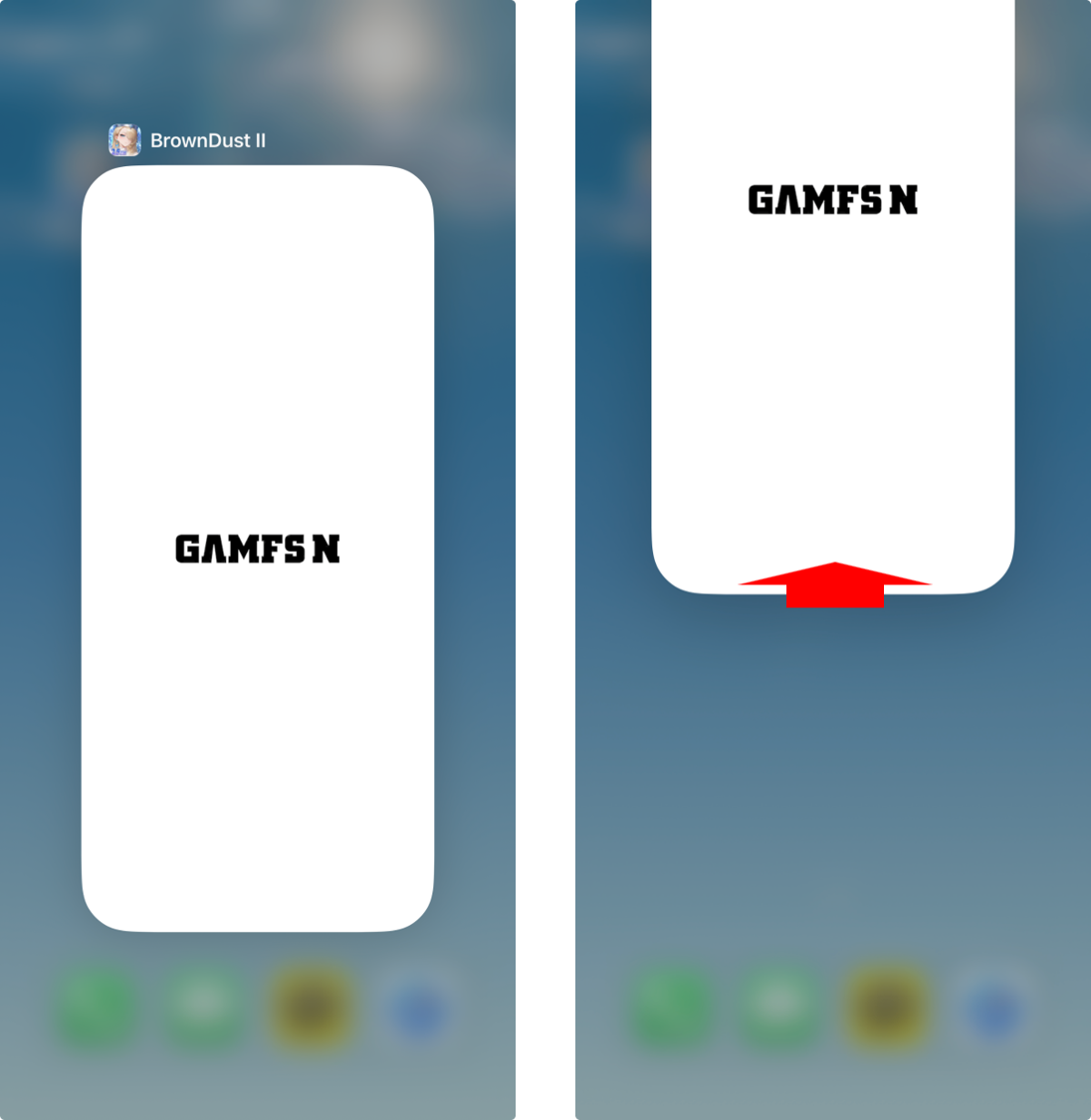
To close apps on iPhones with a Home button, quickly press the Home button twice, then swipe up on the apps you want to close. If your iPhone doesn’t have a Home button (like iPhone X and newer models), swipe up from the bottom of the screen, briefly pause in the middle, and then swipe up on the apps you want to close.
② Clear Safari Cache and Browsing Data (iOS)
Excessive web data can also affect overall memory usage.
Go to: [Settings] app → [Safari] → [Clear History and Website Data]
③ Lower In-Game Graphics Settings
Temporarily lowering graphic quality can reduce memory load.
In-game path: [Home] → [ETC] → [Options] → [Graphics]
For best results, try setting the resolution to HD or SD. If you still experience issues, lower settings like the frame rate or refresh rate.
3. About Devices with 3GB RAM or Less
BrownDust2 uses high-quality resources and therefore requires a certain amount of memory.
We’ve found that iPhones and iPads with 3GB of RAM or less might have trouble running the game well because of their hardware.
We kindly ask for your understanding that stable gameplay may be difficult on these devices.
4. How to Help Us
If you’re still experiencing this problem after following the steps, particularly if you have a device with over 3GB of RAM, we need more details to help us figure out what’s going wrong and fix it as soon as possible.
We would be very grateful if you could share your experience through the error report survey below.
👉 Error Report Google Form Link
📝 Please include the following information:
- Device information (model name, exact OS version)
- Detailed situation when the issue occurred
- e.g., when entering a battle, tapping a specific menu, right after launching the app, etc.
5. Alternative: Play on PC (Google Play Games)
If your iOS device is running slowly while playing, you can connect your account and keep playing on a PC using Google Play Games.
[PC Client (Google Play Games) Download]
We sincerely apologize once again for the inconvenience this issue has caused.
We’re working hard to get everything back to normal as soon as possible and will share updates as we have them.
Thank you.
Read More
- Invincible Season 4 Gender Swaps Tech Jacket As Fans Question Major Comic Change
- Silver Rate Forecast
- Gold Rate Forecast
- Building Agents That Learn and Improve Themselves
- 22 Films Where the White Protagonist Is Canonically the Sidekick to a Black Lead
- 15 Films That Were Shot Entirely on Phones
- 20 Movies Where the Black Villain Was Secretly the Most Popular Character
- Celebs Who Narrowly Escaped The 9/11 Attacks
- Games That Faced Bans in Countries Over Political Themes
- 18 TV Series Filming Rehearsals as Bonus Content
2025-12-23 08:08